


This article was updated in June 2026 to include information about Salesforce Service and Marketing Clouds.
Salesforce is the world’s leading CRM platform, holding over 23% of the global CRM market share and trusted by more than 150,000 businesses worldwide. According to Salesforce’s own research, companies that implement its CRM report a 29% increase in sales productivity on average, but only when they start with the right edition.
Choosing the wrong Salesforce edition is a costly mistake. Go too basic, and you’ll hit a ceiling in weeks. Go too advanced, and you’ll pay for features your team won’t touch for years.
This guide compares every Salesforce edition across all major clouds — Sales Cloud, Service Cloud, Marketing Cloud, and Commerce Cloud — covering pricing, features, and the ideal use case for each. We also cover the free options most guides miss: the Salesforce Free Suite and Developer Edition.
Whether you’re a founder evaluating Salesforce for the first time, an operations leader comparing upgrade options, or a Salesforce admin advising your team, this is the complete reference you need.
Salesforce Editions Overview — Quick Comparison Table
Salesforce uses a consistent edition naming structure across its clouds, but the features inside each edition vary significantly depending on which cloud you’re purchasing. The table below gives a high-level orientation before we dive into each cloud.
| Edition | Typical Price | Best for | API Access | AI Features | Available On |
|---|---|---|---|---|---|
| Free Suite | Free (up to 2 users) | Solo founders, spreadsheet migration | No | No | Sales, Service, Marketing |
| Starter Suite | $25/user/month | Small businesses, basic CRM | No | Limited | Sales, Service, Marketing, Commerce |
| Pro Suite | $100/user/month | Growing SMBs needing automation | Optional add-on | No | Sales, Service, Marketing, Commerce |
| Enterprise | $175/user/month | Mid-market & large teams | Yes (included) | Optional | Sales, Service |
| Unlimited | $350/user/month | Large enterprises, complex workflows | Yes | Yes (predictive) | Sales, Service |
| Agentforce 1 | $550/user/month | Enterprises needing full AI + data | Yes | Yes (generative + agentic) | Sales, Service |
| Developer Edition | Free | Admins, developers, Salesforce builders | Yes | Yes | Platform |
Note: Prices are per user per month, billed annually unless otherwise stated. Marketing Cloud and Commerce Cloud use different pricing models (per org/month or % of GMV) — see their sections below.
Increase sales productivity by 29% using CRM
ENWAY is a 5-star Salesforce implementation partner, completing projects in Europe, the US, the UK, and the Emirates. We help you choose the right Salesforce edition and get started with CRM.
Salesforce Free Suite
What is it: A permanently free Salesforce edition covering core CRM features, like contact and account management, lead tracking, deal pipeline, basic reporting, and limited service features.
For whom: Solo founders, very small teams, and businesses migrating away from spreadsheets who want to explore Salesforce before making a financial commitment.
Price: Free (up to 2 users, no credit card required).
Key features:
- Lead, Account, Contact, and Opportunity management
- Activity feed and task management
- Gmail integration
- Email builder (up to 100 sends per month)
- Basic case management
- Simple reports and dashboards
- Slack conversations inside Salesforce
Limitations to Understand
The Free Suite gives you a genuine taste of Salesforce’s core CRM, but it’s deliberately limited to encourage upgrades. There are no custom objects, no AppExchange app integrations, no advanced automation, and no API access. Most importantly, the features that make Salesforce genuinely powerful — Flow automation, custom data models, integration APIs, and AI tools — are not available.
New users evaluating Salesforce on the Free Suite may actually underestimate the platform’s value because the most impactful capabilities are locked behind paid editions.
When to Upgrade from Free
Move to the Starter Suite when your team exceeds 2 people, when you need email campaign capabilities beyond 100 sends per month, when you want to connect Salesforce to other tools (Gmail/Outlook advanced sync, AppExchange), or when you need basic custom fields and workflow configuration.
Salesforce Sales Cloud Editions
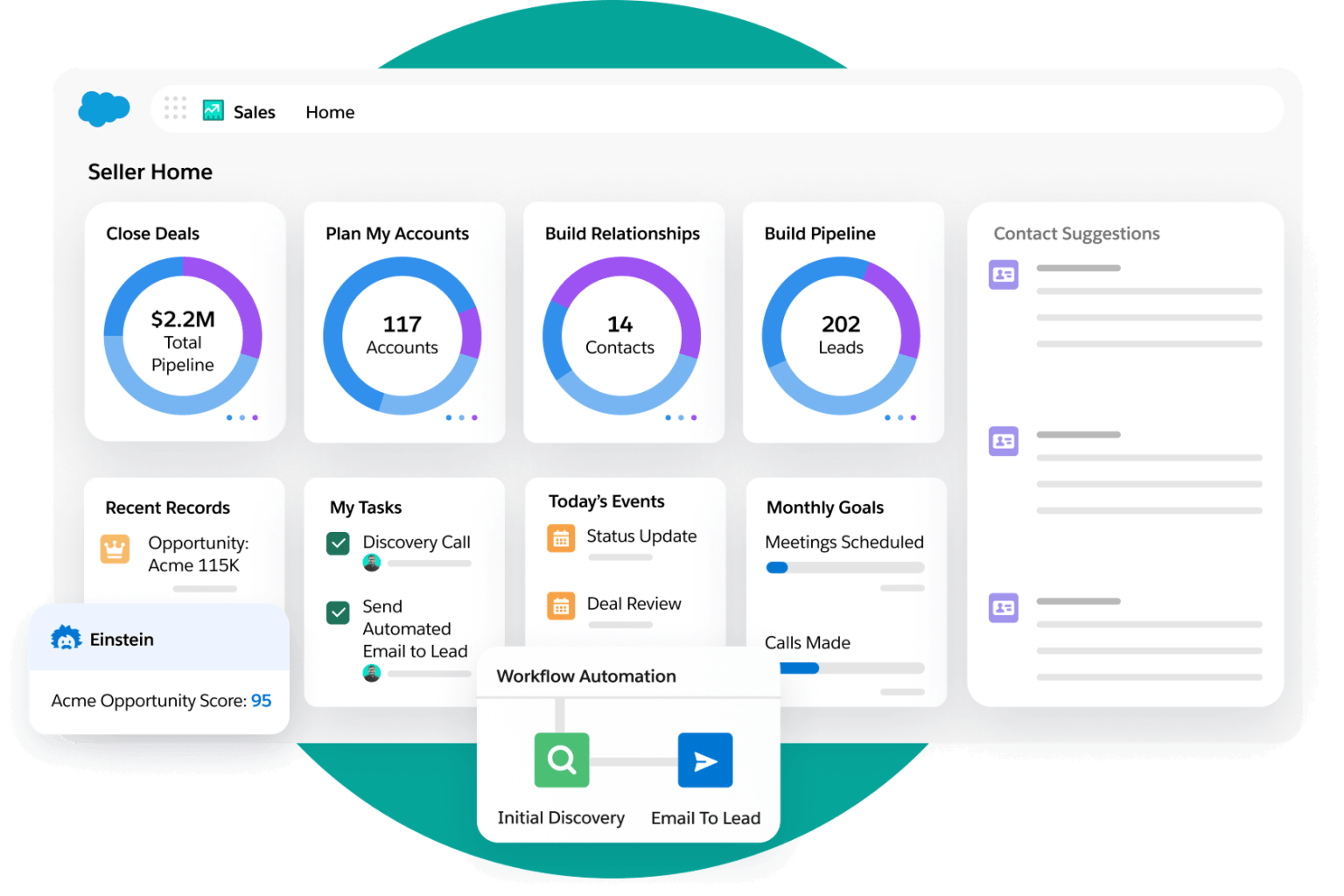
Sales Cloud is Salesforce’s flagship CRM product — the one most businesses start with. It covers the full sales lifecycle from lead capture to closed deal. Each edition builds on the previous one.
Starter Suite
Price: $25/user/month (billed monthly or annually).
Best for: Small businesses starting their CRM journey, replacing spreadsheets, or consolidating sales, basic marketing, and service into a single, affordable tool.
Overview: The Starter Suite combines essential sales, marketing, service, and commerce tools in one place. It simplifies lead management, email productivity, and reporting without requiring technical configuration. If your team is migrating from spreadsheets or a basic contact manager, Starter gives you a solid CRM foundation.
Key features:
- Lead, Account, Contact, and Opportunity management
- Einstein Activity Capture (email and calendar sync)
- Lead assignment and routing rules
- Web-to-Lead capture forms
- Email integration (Gmail/Outlook) and productivity tools
- Mass email and email templates
- Customizable sales process and reports
- Salesforce mobile app
- Case management and file sharing
- Basic roles, permissions, and page layouts
What’s missing: No sales quoting, no advanced forecasting, no API access, no custom objects, no Flow automation beyond basics, no AppExchange apps.
Pro Suite
Price: $100/user/month (billed annually).
Best for: Growing businesses that need light automation, sales quoting, and basic CRM integrations without full enterprise complexity.
Overview: Pro Suite is the step-up edition for teams that have outgrown Starter. It introduces automation through Flow Builder, custom objects, sales quoting, and forecast management — features that genuinely start to differentiate Salesforce from basic CRMs. If your sales team needs quotes in their workflow or your ops team wants process automation, Pro Suite is where it begins.
Key features (includes all Starter Suite features, plus):
- Sales quoting and forecast management
- Process automation with Flow (limited)
- Custom apps and custom objects
- Campaign Influence (up to 3 campaigns per opportunity)
- Salesforce Meetings and Sales Console apps
- Chatter for team collaboration
- Offline mobile functionality
- Enhanced data and file storage
- Omni-Channel routing and in-app messaging (Service)
- Web Services API (optional add-on at $25/user/month)
What’s missing: No advanced pipeline management, no territory management, no Opportunity scoring, no full sandbox, no API included in base price, no Approval Processes.
Enterprise Edition
Price: $175/user/month (billed annually).
Best for: Mid-sized to large businesses with complex sales workflows, multiple teams, territory structures, and a need to integrate Salesforce with other business systems.
Overview: Enterprise is the most popular edition for serious B2B sales organisations. It unlocks the full Salesforce platform: APIs for third-party integrations, Approval Processes, advanced pipeline tools, territory management, and unlimited Flow automation. If your RevOps team needs to build complex workflows or integrate Salesforce with your ERP, marketing automation, or finance tools, Enterprise is the minimum viable edition.
This is also the edition where Salesforce integration projects truly come to life.
Key features (includes all Pro Suite features, plus):
- Web Services API included (no add-on needed)
- Lightning Platform — build custom apps with clicks, not code
- Advanced pipeline management and deal insights
- Opportunity scoring (Einstein, optional)
- Einstein Predictive Forecasting (optional)
- Pipeline inspection and Waterfall charts
- Sales territories and Opportunity splits
- Campaign Influence (up to 5 campaigns per opportunity)
- Approval Processes and custom workflows (unlimited flows)
- Embedded forecast charts and advanced reporting
- Full Sandbox (1 partial sandbox included)
What’s missing: No Premier Support plan, no full sandbox included, no predictive AI included in base price, no Sales Engagement tools.
ENWAY tip: Enterprise Edition is the starting point we recommend for most mid-market companies. The included API access alone justifies the jump from Pro — it’s what enables you to connect Salesforce to your ERP, billing system, marketing tools, or any custom integration.
Unlimited Edition
Price: $350/user/month (billed annually).
Best for: Large enterprises with complex business processes, high-volume sales operations, and a need for AI-driven insights, premier support, and full developer infrastructure.
Overview: Unlimited gives you everything in Enterprise plus Salesforce’s predictive AI tools, full sandbox access for safe testing and development, and the Premier Success Plan with 24/7 support. For organisations building deeply customized Salesforce environments or running mission-critical CRM operations, Unlimited removes the ceiling.
Key features (includes all Enterprise features, plus):
- Predictive AI: Einstein Relationship Insights, Lead/Opportunity Scoring, Email Insights, Einstein Forecasting
- Conversation Intelligence
- Full Sales Engagement tools
- Full Sandbox access (1 full sandbox + 1 developer pro sandbox included)
- Premier Success Plan: 24/7 toll-free support + dedicated success management
- Buyer Assistant and advanced Conversation Intelligence
What’s missing: No generative AI (requires Agentforce 1), no Data Cloud, no Slack included, no Agentforce autonomous agents.
Agentforce 1 Sales (formerly Einstein 1 Sales)
Price: $550/user/month (billed annually).
Best for: Large enterprises that want the full Salesforce AI ecosystem — generative AI, autonomous AI agents, Data Cloud unification, and deep Slack integration — in a single licence.
Overview: Agentforce 1 Sales is Salesforce’s most comprehensive offering. It combines the full Unlimited Edition with generative AI via Einstein Copilot, agentic AI through Agentforce, unified data via Data Cloud, and Slack Enterprise+ for team collaboration. If your organisation is serious about deploying AI across the entire sales motion — from lead scoring to pipeline coaching to autonomous agent workflows — this is the edition.
Key features (includes all Unlimited features, plus):
- Slack Enterprise+ included
- Unlimited Agentforce usage for employees (AI agents that take actions autonomously)
- 1M Flex Credits per year for Agentforce AI agents
- Generative AI for sales teams (Einstein Copilot)
- Data Cloud with 2.5M Data Services Credits per year
- AI-powered analytics with Tableau Next
- Salesforce Spiff (sales incentive compensation)
- Sales Planning, Sales Programs, Salesforce Maps
- Slack Enterprise+ included
Salesforce Service Cloud Editions
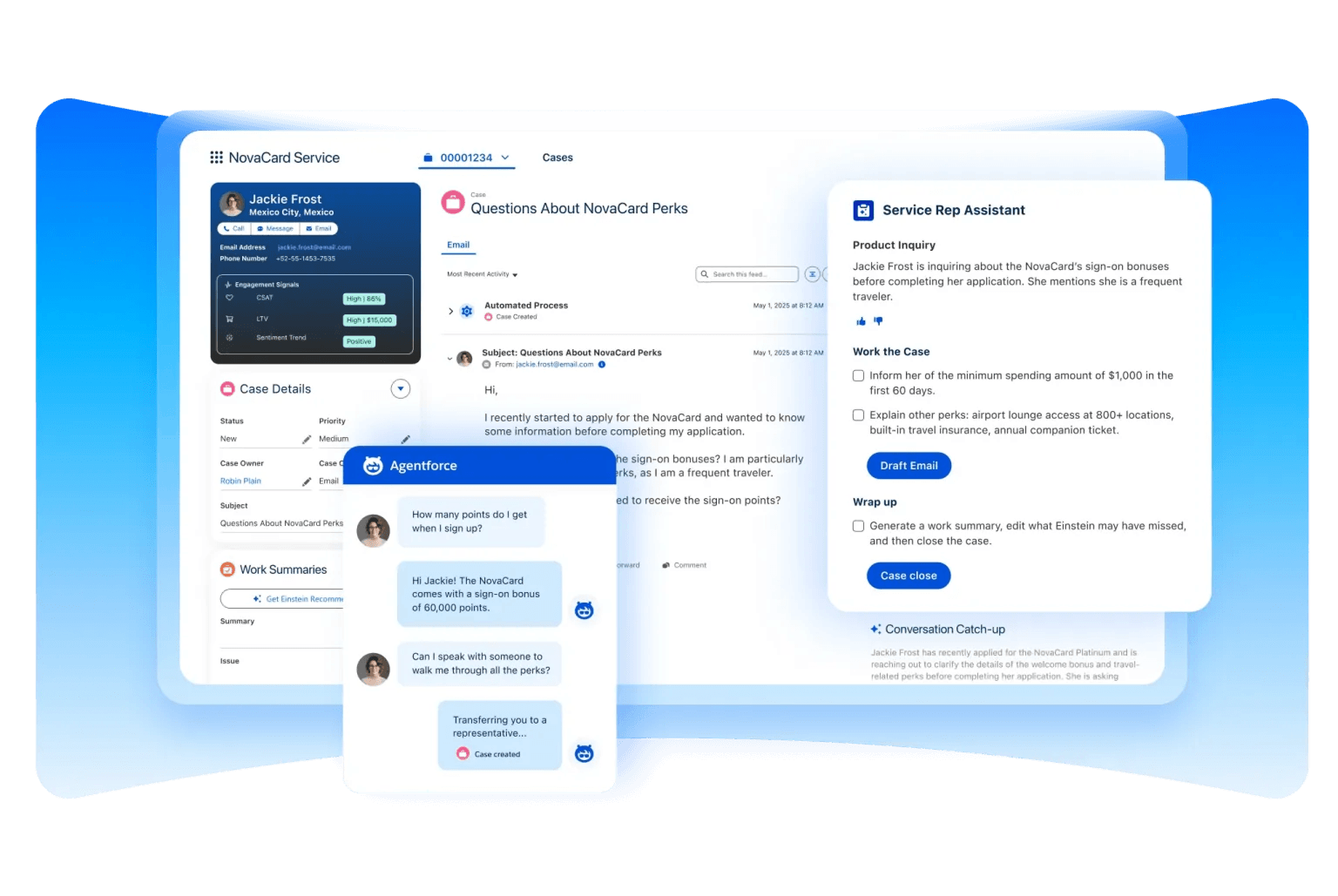
Service Cloud is Salesforce’s customer service and support platform. It shares the same edition names and pricing structure as Sales Cloud but includes a different feature set focused on case management, customer service workflows, and omni-channel support. Many businesses license both Sales Cloud and Service Cloud for a unified customer view.
Starter Suite
Price: $25/user/month (billed monthly or annually).
Best for: Small businesses and startups setting up their first customer service operation.
Overview: Service Cloud Starter provides the foundational tools to manage customer cases and knowledge articles. If your team is currently handling support via shared email inboxes or spreadsheets, Starter gives you a proper case management system, auto-routing, and a basic knowledge base.
Key features:
- Case and knowledge management
- Case auto-assignment and routing
- Web and email case capture
- Case email auto-response
- Lead-Contact-Account management
- Salesforce Mobile App
- Customizable reports and dashboards
- Task management and activity feed
- Email integration (Gmail/Outlook)
- Marketing campaign templates and audience segmentation
Pro Suite
Price: $100/user/month (billed annually).
Best for: Growing businesses that need multi-channel support, case escalation rules, and light automation for their service team.
Overview: Pro Suite steps up from Starter with omni-channel routing, incident management, and AppExchange integrations. It’s well-suited for support teams handling moderate volume across email, web, and chat — who need supervisor tools and escalation logic but don’t yet need full AI or advanced analytics.
Key features (includes all Starter features, plus):
- Omni-Channel routing and supervisor tools
- Service Contracts and Entitlements
- Case escalation rules and queues
- Incident Management
- Advanced case milestone tracking
- AppExchange app integration
- Lightning Flow Builder (5 flows per org)
- Web Services API (optional add-on)
Enterprise Edition
Price: $175/user/month (billed annually).
Best for: Medium to large enterprises managing complex, high-volume support operations requiring advanced AI, custom automation, and deeper case management tools.
Overview: Enterprise Service Cloud brings in AI-assisted service tools, unlimited automation, and the full integration API. Businesses managing multiple support channels, SLA-driven service contracts, or complex case workflows will find Enterprise provides the control they need. This is also where Salesforce customization projects for service teams typically begin.
Key features (includes all Pro Suite features, plus):
- Web Services API (included)
- Unlimited Flow Builder and workflow automation
- AI for Customer Service — Einstein for Service (optional purchase)
- Advanced Case Management and case swarming
- Knowledge Management: Read/Write (optional at $75/user/month)
- Einstein Bots and enhanced messaging (optional at $75/user/month)
- Service Intelligence and CRM Analytics (optional purchase)
- Work Order and Asset Management
- Authenticated Customer Portal/Community (optional purchase)
- Full Sandbox and Partial Sandbox (1 partial included)
Unlimited Edition
Price: $350/user/month (billed annually).
Best for: Large enterprises needing full-service support infrastructure, AI-driven automation, and 24/7 premier support.
Overview: Service Cloud Unlimited includes everything in Enterprise plus Einstein’s AI case classification and article recommendations, a Service Catalog for automating service requests, and full sandbox access — with the Premier Success Plan ensuring round-the-clock support from Salesforce specialists.
Key features (includes all Enterprise features, plus):
- 24/7/365 support with Premier Success Plan
- Einstein Case Classification and Article Recommendations
- Service Catalog for automating service requests
- Developer Pro Sandbox and Full Sandbox (1 included)
- Knowledge (Read/Write) included
- Enhanced AI-powered bots
Agentforce 1 Service (formerly Einstein 1 Service)
Price: $550/user/month (billed annually).
Best for: Enterprises deploying generative AI across their entire service operation, with unified customer data and deep team collaboration via Slack.
Overview: Agentforce 1 Service sits at the top of Salesforce’s Service Cloud stack — and the rebrand from Einstein 1 signals a meaningful shift in what the edition actually does. Where Einstein 1 was primarily about generative AI assistance, Agentforce 1 introduces autonomous AI agents that can resolve cases, route interactions, and take actions without human intervention. It also unifies customer data through Data Cloud and brings Slack into the service workflow for seamless team collaboration. If your service team is ready to move from AI-assisted support to AI-driven support, this is the edition.
Key features (includes all Unlimited features, plus):
- Agentforce for Service — autonomous AI agents that handle and resolve cases end-to-end
- Generative AI with Einstein Copilot for service teams
- Einstein Case Routing (2,000 predictions per user/month)
- Unified Voice and Messaging across all channels
- Service Cloud Voice and Enhanced Messaging
- Feedback Management and AI-generated Conversation Summaries
- Slack integration for agent collaboration and escalations
- Data Cloud for unified customer data and CRM Analytics
Salesforce Marketing Cloud Editions
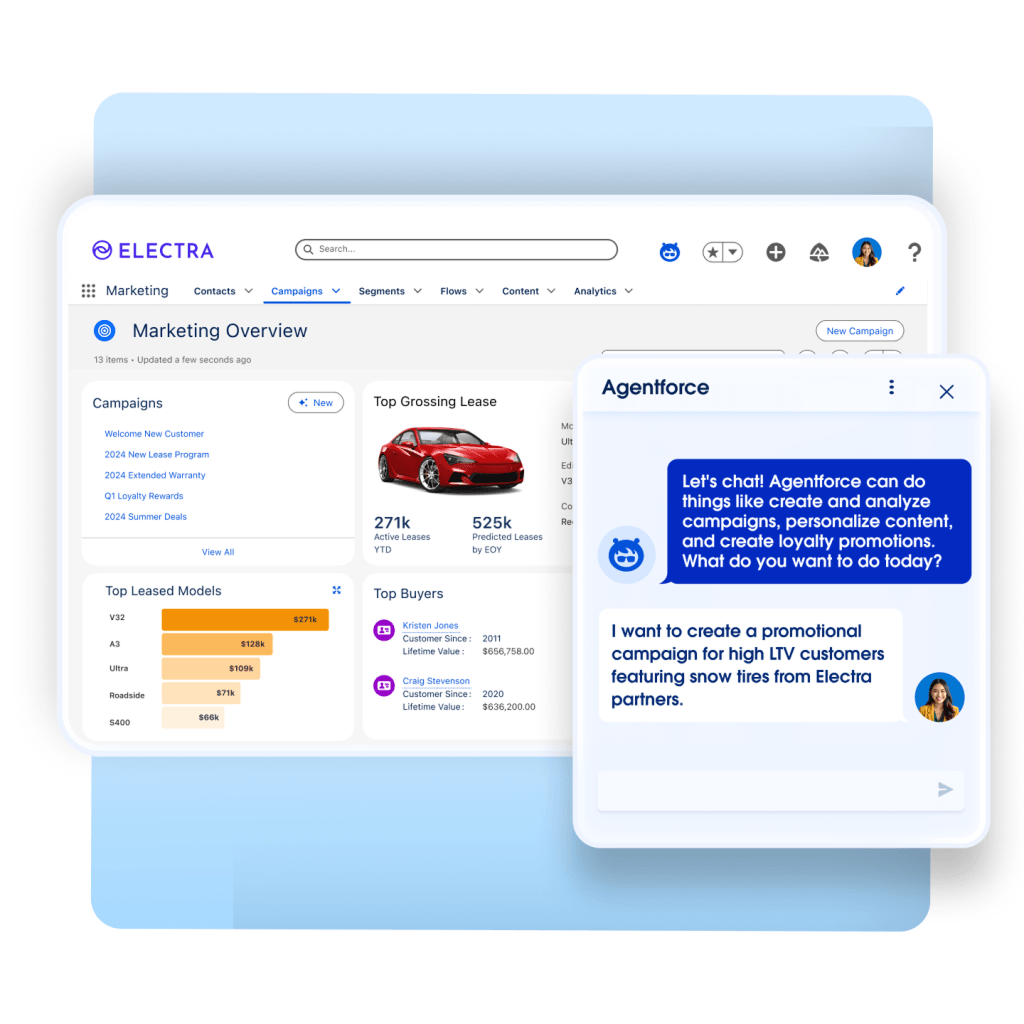
Marketing Cloud uses a different pricing model from Sales and Service Cloud. The entry-level tiers (Starter and Pro Suite) are priced per user, while the Growth and Advanced editions are priced per organisation per month — reflecting that marketing platforms are typically used org-wide rather than per seat.
Marketing Cloud is deeply integrated with Salesforce Marketing Automation capabilities and is designed to sit alongside Sales and Service Cloud in a unified customer engagement platform.
Starter Suite
Price: $25/user/month (billed monthly or annually).
Best for: Small businesses beginning with email marketing and basic campaign management.
Overview: Marketing Cloud Starter provides a practical starting point for businesses that want to run email campaigns, track performance, and build basic landing pages — without the complexity of enterprise marketing automation. It’s ideal for teams currently using a basic email tool and looking to consolidate into Salesforce.
Key features:
- Dynamic email marketing
- Drag-and-drop email builder
- Send time optimisation
- Campaign analytics
- Forms and landing pages
Pro Suite
Price: $100/user/month (billed annually).
Best for: Growing businesses that need more customization, real-time chat, and integration with AppExchange marketing tools.
Key features (includes all Starter features, plus):
- Enhanced real-time chat
- Greater customization and automation
- Sales Quoting and Forecasting (cross-cloud)
- Access to AppExchange
Marketing Cloud Growth Edition
Price: $1,500/org/month (billed annually).
Best for: Growing businesses moving beyond email into multi-channel marketing journeys — SMS, social, and personalised campaigns.
Overview: The Growth Edition is where Marketing Cloud becomes a true multi-channel engagement platform. It introduces Agentforce Campaigns for AI-assisted campaign creation, multi-channel journeys across email, SMS, and social media, and advanced audience segmentation with people scoring.
Key features (includes all Pro Suite features, plus):
- Agentforce Campaigns (AI-assisted campaign building)
- Multi-channel journeys: Email, SMS, social media
- Advanced personalisation and audience segmentation
- People scoring for targeted outreach
- Opportunity Influence and attribution reporting
- Forms and landing pages (enhanced)
Marketing Cloud Advanced Edition
Price: $3,250/org/month (billed annually).
Best for: Enterprises running large-scale, AI-driven campaigns that require predictive analytics, engagement frequency optimisation, and unified cross-channel messaging.
Overview: Advanced Edition adds predictive AI to the marketing mix — predicting customer behaviour, optimising send frequency, and unifying conversations across SMS and messaging channels. Path Experimentation allows teams to A/B test entire campaign journeys, not just individual emails.
Key features (includes all Growth Edition features, plus):
- Predictive Scoring for customer behaviour insights
- Predictive Engagement Frequency optimisation
- Unified Conversations for SMS and messaging channels
- Path Experimentation — optimise full campaign journeys
Marketing Cloud Add-Ons
- Einstein Personalisation: from $96,000/year — AI-driven hyper-personalised customer experiences at scale
- Additional SMS credits, email credits, and Data Cloud storage: available for purchase to support higher campaign volumes
Salesforce Commerce Cloud Editions
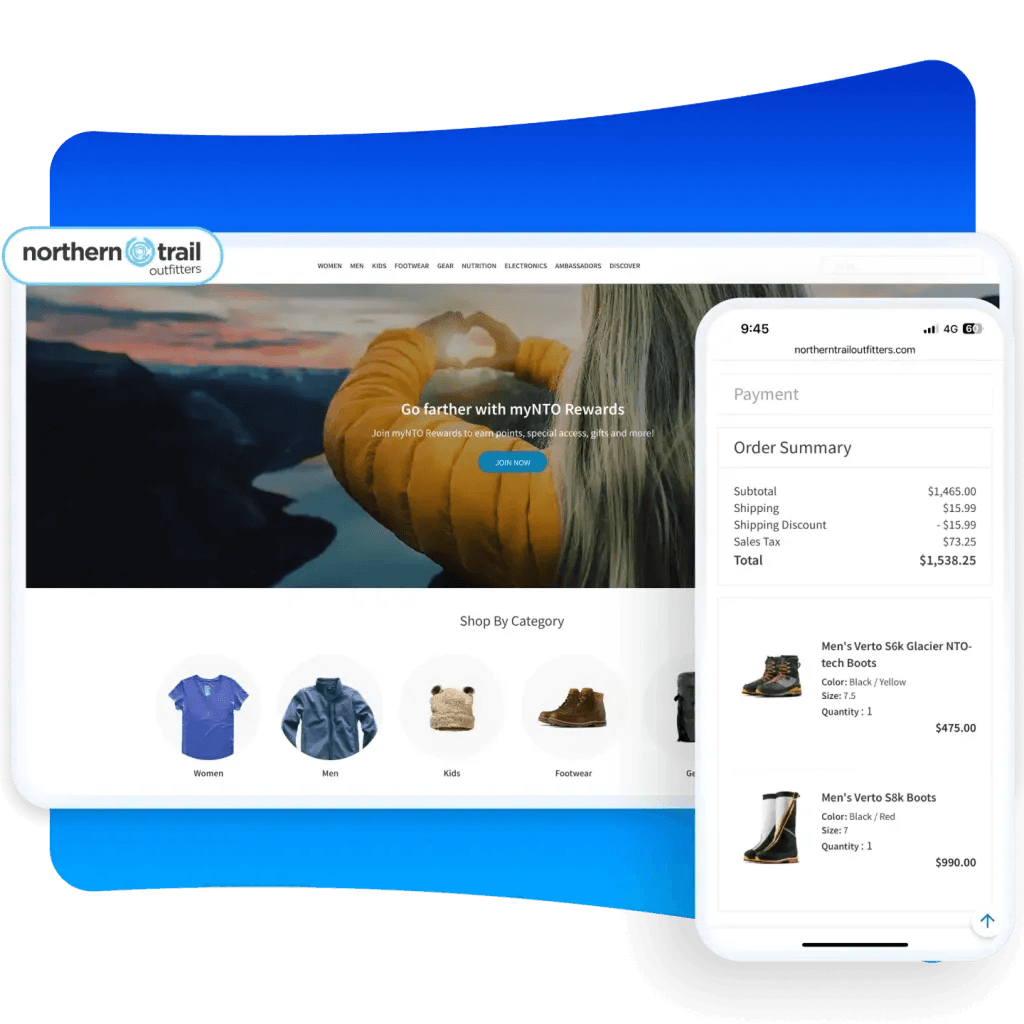
Commerce Cloud is Salesforce’s e-commerce platform for both B2C and B2B commerce operations. Like Marketing Cloud, it uses a different pricing model — entry tiers are per user, but growth tiers are priced as a percentage of gross merchandise value (GMV), aligning platform cost with business revenue.
Starter Suite
Price: $25/user/month (billed monthly or annually).
Best for: Small businesses launching their first Salesforce-powered storefront.
Key features:
- Simplified storefront builder
- Dynamic email marketing and analytics
- Seamless customer service integration
- Out-of-the-box sales processes
Pro Suite
Price: $100/user/month (billed annually).
Best for: Growing businesses needing real-time chat, custom automation, and AppExchange integrations for their e-commerce operation.
Key features (includes all Starter features, plus):
- Enhanced real-time chat
- Greater customization and automation
- Sales quoting and forecasting
- AppExchange access
Commerce Cloud Pay-As-You-Go
Price: 1% of gross merchandise value (billed monthly).
Best for: Businesses testing new markets, launching pilot stores, or wanting flexible, low-commitment e-commerce.
Overview: No fixed monthly commitment — you pay proportionally to what you sell. This makes it ideal for seasonal businesses or companies launching a new revenue stream without wanting to lock into a fixed platform cost.
Key features:
- 6 Direct-to-Consumer (D2C) storefronts
- Order Management Lite
- Payments integration
Commerce Cloud Growth
Price: 1% of GMV (billed annually).
Best for: Businesses scaling their e-commerce with data-driven insights and streamlined automation.
Key features (includes all Pay-As-You-Go features, plus):
- Advanced analytics and automation
- Customer segmentation tools
- 6 storefronts
Commerce Cloud Advanced
Price: 2% of GMV (billed annually).
Best for: Enterprises managing large, complex e-commerce operations with personalisation at scale.
Key features (includes all Growth features, plus):
- 10 storefronts
- Full Order Management capabilities
- Advanced personalisation tools
Commerce Cloud B2C Premium
Price: Contact Salesforce for pricing (billed annually).
Best for: Large global enterprises requiring unlimited storefronts, advanced AI-driven personalisation, and deep integration with enterprise systems.
Key features (includes all Advanced features, plus):
- Unlimited storefronts
- Full Order Management
- Advanced personalisation, segmentation, and analytics
Salesforce Developer Edition
What it is: A free, full-featured Salesforce edition specifically for developers and administrators who want to build, test, and customize on the Salesforce platform without paying for a production licence.
For whom: Salesforce admins, developers, consultants, and anyone learning the platform or building custom solutions.
Price: Free (individual, non-commercial use).
Key features:
- Access to Lightning Experience, Apex code, and full APIs
- Flow Builder for process automation
- App Builder for custom Lightning apps
- Pre-built connectors and plug-and-play integrations
- Access to most Enterprise-level platform features for development and testing
The Developer Edition is ideal for learning Salesforce, prototyping custom objects and automations, or experimenting with integrations before committing to production changes. It is not suitable for live business use — it has strict data limits and is for non-commercial development only.
Signs You Need to Upgrade Your Salesforce Edition
One of the most common questions we hear from clients is: “We started on [edition X] — how do we know when it’s time to upgrade?” Here are the clearest signals for each transition.
Starter → Pro Suite
- Your team needs to create and send quotes directly inside Salesforce
- You want basic process automation beyond what Starter allows (custom flows, approvals)
- You need custom objects to track business-specific data beyond standard CRM records
- You’re looking to connect Salesforce to other systems via AppExchange apps
- Your service team needs omni-channel routing for email, chat, and web support
Pro → Enterprise Edition
- You need to integrate Salesforce with third-party systems via API (ERP, billing, marketing automation, data warehouse)
- Your sales team needs territory management or opportunity splits across reps
- You need unlimited workflow automation — more than 5 flows per org
- You want advanced pipeline inspection and forecasting charts
- You need a sandbox environment to safely test changes before deploying
Enterprise → Unlimited Edition
- You need 24/7 dedicated Salesforce support (Premier Success Plan)
- Your team wants predictive AI tools without purchasing them as expensive add-ons
- You need full sandbox access for complex development and testing
- Your sales team would benefit from Conversation Intelligence and Sales Engagement tools
Unlimited → Agentforce 1 Sales
- You’re ready to deploy autonomous AI agents across sales workflows
- Your team wants generative AI natively embedded across the CRM
- You need Data Cloud for unified customer data across systems
- You want Slack deeply integrated into your Salesforce workflows
- You’re looking for advanced analytics via Tableau Next
How to Choose the Right Salesforce Edition
With so many editions across multiple clouds, the right starting point depends on six key dimensions.
1. Match your team size to realistic complexity
Small teams (under 20 people) rarely need Enterprise features on day one. Starting on Starter or Pro and upgrading later is a valid strategy — Salesforce is designed to scale. However, if you’re a mid-market company or have complex workflow requirements from the start, jumping straight to Enterprise saves migration effort later.
2. Define your budget — including implementation costs
The licence price is only part of the total cost. Implementation, configuration, training, data migration, and ongoing support all add to the real investment. A Pro Suite licence at $100/user/month with a Salesforce QuickStart implementation may deliver better ROI than Enterprise with a rushed setup.
3. Identify your integration requirements early
If your business runs on an ERP (SAP, NetSuite, Microsoft Dynamics), a marketing automation tool (Marketo, HubSpot), or any custom-built internal system, you need API access — which starts at Enterprise. Don’t choose Pro Suite expecting to integrate Salesforce with your tech stack without the API add-on or an upgrade plan.
4. Assess your need for customization
Salesforce’s power lies in its ability to be configured to your exact business process. Custom objects, custom fields, custom Flows, and custom apps require at minimum the Pro Suite — with full customization capabilities unlocking at Enterprise. If your team has specific non-standard workflows, map them out before choosing an edition.
5. Plan for growth, not just today
Choose an edition that fits where your business will be in 12–18 months, not just where it is today. Upgrading editions partway through the year triggers additional contract negotiations and migration work. If you expect significant growth, factor the next edition’s cost into your planning.
6. Work with a Salesforce implementation partner
An experienced Salesforce consulting partner will assess your current processes, integration landscape, team size, and growth trajectory — and recommend the edition that genuinely fits your needs rather than the one that looks safest. This advice is free with ENWAY: book a no-pitch call with our team.
FAQ
The cheapest paid Salesforce edition is the Starter Suite at $25/user/month, available across Sales Cloud, Service Cloud, Marketing Cloud, and Commerce Cloud. Salesforce also offers a permanently free edition (Free Suite) for up to 2 users, with core CRM features but no automation, API access, or AppExchange integrations.
The Enterprise Edition includes full API access, advanced pipeline management, territory management, unlimited Flow automation, and a partial sandbox. The Unlimited Edition adds predictive AI tools (Einstein Forecasting, Conversation Intelligence, Opportunity Scoring), full sandbox access, Sales Engagement tools, and the Premier Success Plan with 24/7 support. Unlimited costs approximately twice as much as Enterprise ($350 vs $175/user/month).
Yes. Salesforce editions are upgradeable at any point during your contract, typically effective from the next billing cycle. Downgrades are more complex and generally require waiting until contract renewal. Most organisations start on a lower edition and upgrade when specific feature needs arise — this is a supported and common path.
Web Services API access is included in the Enterprise Edition and above. Pro Suite can add API access as an optional $25/user/month add-on. Starter Suite and the Free Suite do not include API access in any form. API access is essential for integrating Salesforce with third-party systems.
A partial sandbox (for configuration testing) is first available in the Enterprise Edition. A full sandbox (for code development and testing with production data volumes) becomes available in the Unlimited Edition. Developer Edition provides sandbox-like access for free, but is limited to development/testing purposes only.
Agentforce 1 Sales is the rebrand and evolution of what was previously called Einstein 1 Sales. The Agentforce edition adds autonomous AI agents (Agentforce) on top of the generative AI tools from the Einstein era — meaning the platform can now take actions, not just provide recommendations. It also includes expanded Flex Credits (1M/year), a larger Data Cloud allocation (2.5M Credits), and Tableau Next analytics. The price has increased from $500 to $550/user/month.
The Salesforce Free Suite is permanently free for up to 2 users and includes genuine CRM functionality: contact management, deal pipeline, an activity feed, Gmail integration, basic case management, and simple reports. However, it is limited to 100 email sends per month and excludes custom objects, AppExchange apps, automation, and integrations. It is suitable for very early-stage businesses or for evaluating Salesforce before purchasing.
The Salesforce Developer Edition is a free, non-commercial environment that gives developers and administrators access to the Lightning Platform, Apex, APIs, Flow Builder, and App Builder. It includes most Enterprise-level platform features for development purposes. It is not suitable for live business use due to data limits, but is widely used by the Salesforce developer community for building and testing custom solutions.
Conclusion — Let ENWAY Help You Choose and Implement
Choosing the right Salesforce edition is a decision that shapes your CRM investment for years. Too many organisations start on the wrong edition and either outgrow it within months or pay for features they never use.
The right choice depends on:
- Your team size and expected growth trajectory
- Your need for API-based integrations with other systems
- How much customization your business processes require
- Your budget for both licences and implementation
- Which Salesforce cloud (or combination) covers your use case
ENWAY is a 5-star Salesforce implementation partner with 150+ completed projects across Europe, the US, the UK, and the Emirates in Financial Services, Professional Services, Education, and more. We work with Sales Cloud, Service Cloud, Marketing Cloud, and Agentforce implementations.
Two ways to get started:
QuickStart Package — from €5,900. Get a fully configured Salesforce CRM in 30 days. Includes configuration, data import (up to 50,000 records), demo environment, and 3 hours of team training. Explore QuickStart →
Dedicated Salesforce Team. For ongoing or complex projects. A dedicated Salesforce developer/admin + project manager, from €6,200/month. Explore Dedicated Teams →
Or simply contact us for a no-pitch consultation. We’ll assess your needs and tell you exactly which edition fits your business — and what implementation will realistically cost.