


Salesforce delivers new features and enhancements three times a year, giving developers and admins fresh tools to get even more out of the platform.
This guide outlines the key dates and steps to help you prepare for the upcoming Winter ’26 Release.
August 21: Sign Up for a Pre-Release
Take the first opportunity to try out new Winter ’26 features by signing up for a pre-release Developer Edition. Here is the link to the sign-up form.
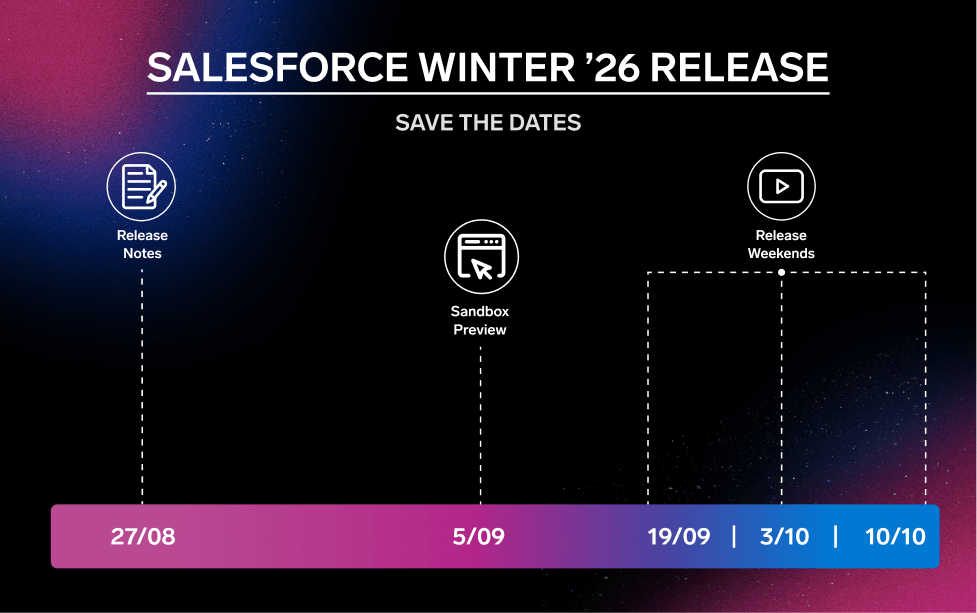
August 27: It’s Time for Release Notes
Without a doubt, one of the most exciting parts of the Salesforce release cycle is the publishing of the Release Notes, a go-to guide for all the new features and functionality.
This time, they’ll be available on August 27. Explore the published Release Notes here.
By September 4: Refresh Your Sandbox for Preview Access
It’s time to see how the Winter ’26 features work with your own settings. Not all sandboxes are automatically upgraded—some stay on the current (non-preview) release.
Use the Sandbox Preview Guide to check your sandbox instance and see if a refresh is needed. If you want early access to new features, be sure your sandbox is set to move to a preview instance before the September 4 deadline.
September 5: Sandbox Preview Begins
Get ready to explore the Winter ’26 updates in your sandbox. Head over to Trust to check your sandbox instance and see when your upgrade window kicks off.
Just like with a pre-release org, the sandbox preview gives you a safe space to test new features alongside your customizations—no impact on your live environment.
September–October: Fully Embrace Winter ’26
The Winter ’26 release window depends on your Salesforce instance. Key release weekends include:
- September 19, 2025
- October 3, 2025
- October 10, 2025
To find out when your production environment will get the Winter ’26 updates, check the Maintenance Calendar.
